
Every card and loan. One clear monthly plan.
SAARTI keeps your credit cards, loans and EMIs in one place, shows what is due this month, reminds you before due dates and checks your CIBIL report against your own records.
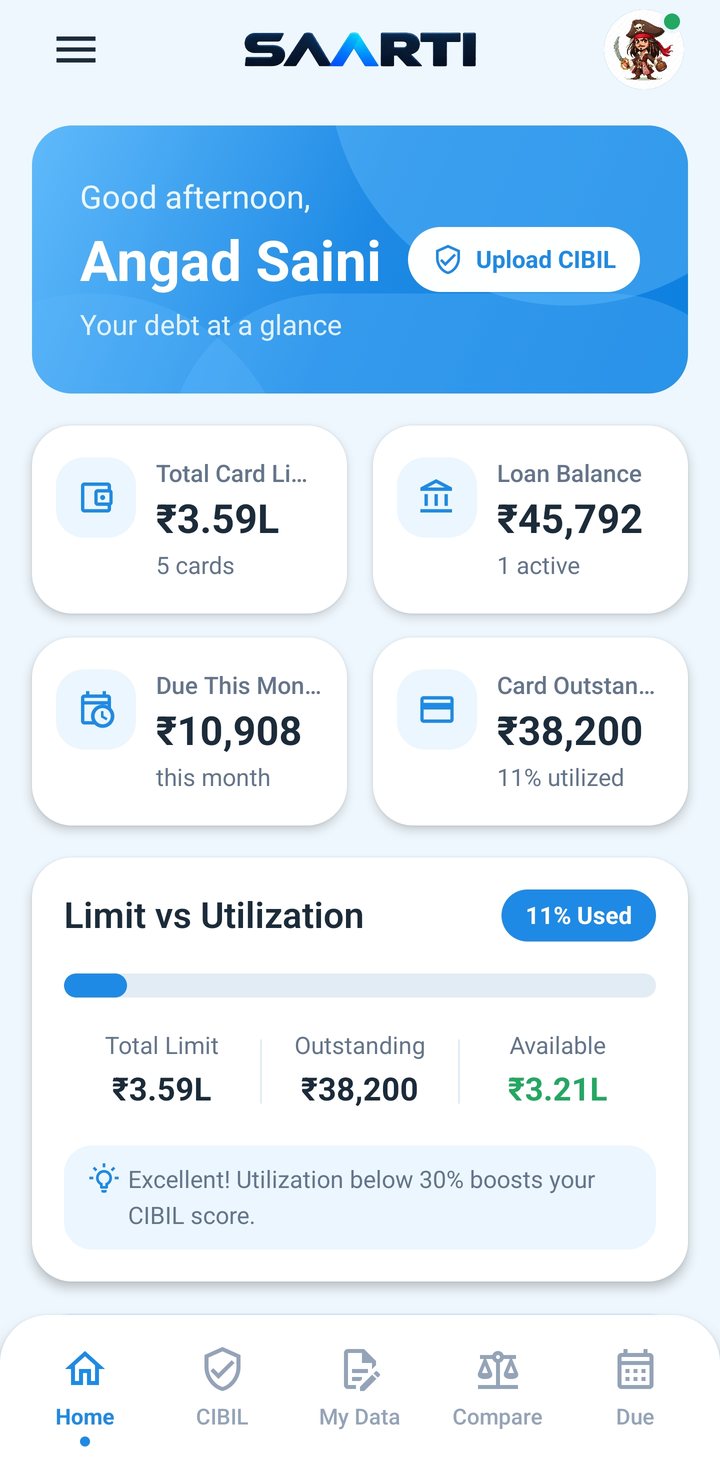
Example figures
Add cards & loans
Type them in, or read them from your CIBIL report.
Upload your CIBIL PDF
AI reads your score and accounts. The PDF is deleted after.
Compare & fix
See what does not match and how to raise a dispute.
Pay on time
One monthly due, reminders, and mark bills as paid.
Everything for your debt, in one app
Cards & loans
Limit, outstanding, EMIs and due dates for every card and loan, in one list.
Learn more about Cards & loansMonthly due
One total for this month. Mark a bill as paid and the total updates.
Learn more about Monthly dueBill reminders
Notifications on your phone before each due date. Only the bank name, never an amount.
Learn more about Bill remindersCIBIL PDF, read by AI
Upload your report PDF. Your score and accounts are picked out for you, then the PDF is deleted.
Learn more about CIBIL PDF, read by AICompare & dispute
CIBIL vs your own data, side by side. Steps to dispute on the CIBIL website.
EMI calculator
EMI, total interest and a year-by-year plan from amount, rate and tenure.
Download your data
Get everything you saved as a PDF or Excel file, any time.
Learn more about Download your data
Every card in its own colour
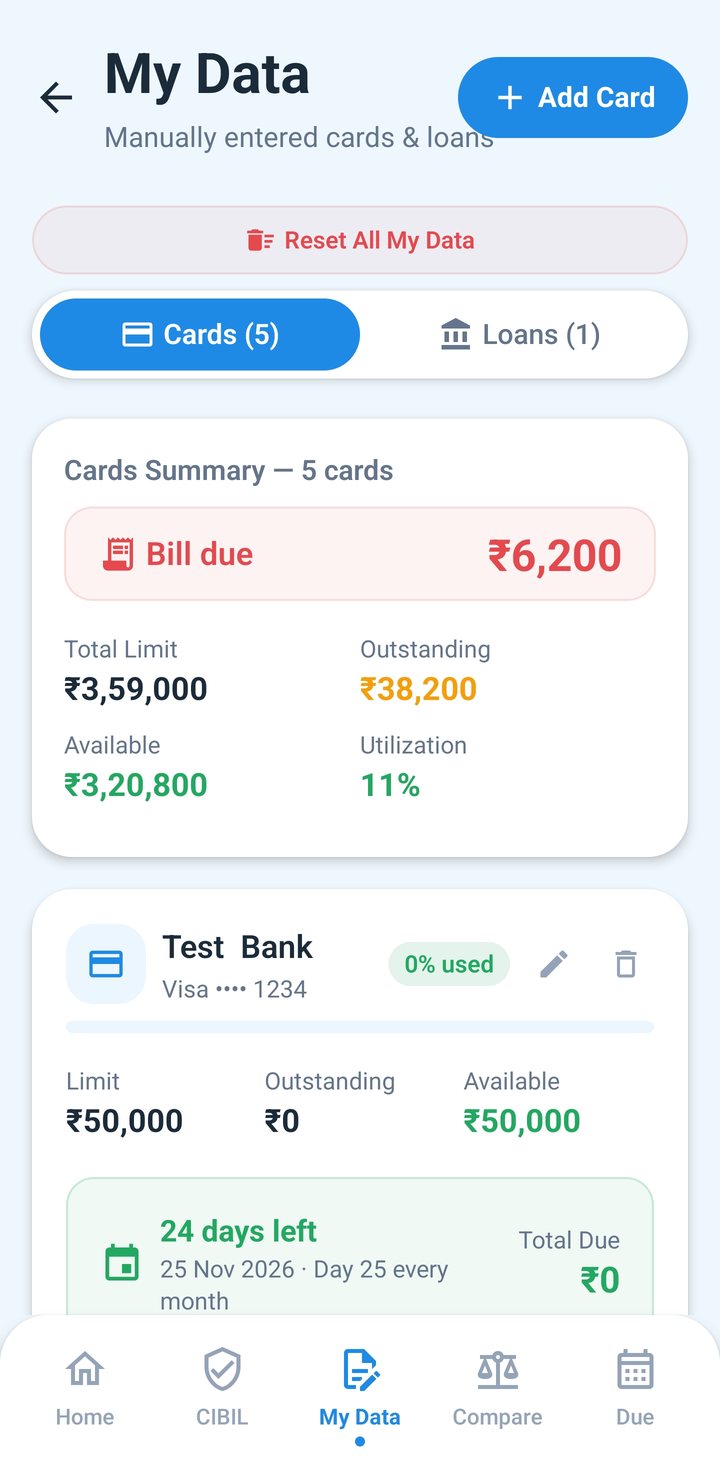
Pick a colour for each card so you know it at a glance. Each one shows its limit, outstanding, what is left, and how much of the limit you use.
Example figures. We only ask for the last 4 digits of a card.
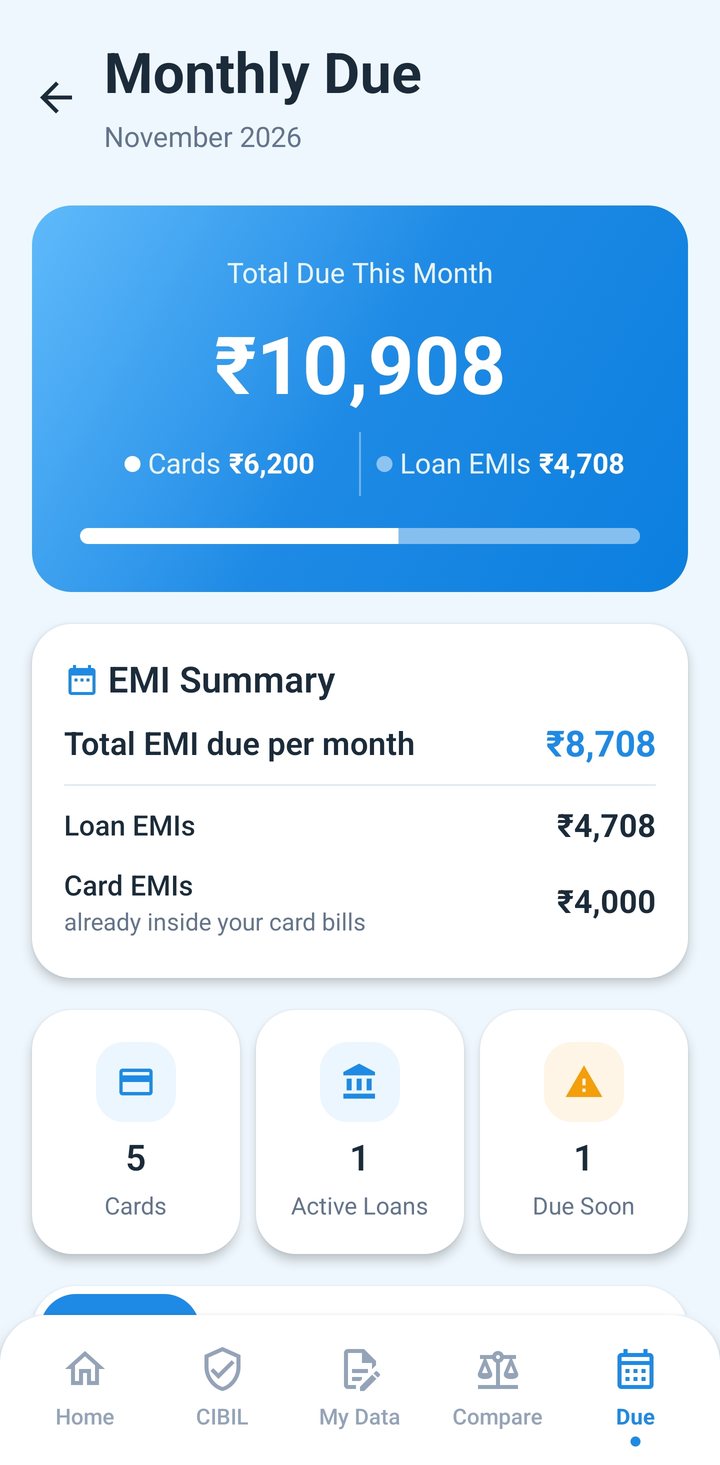
Know what to pay this month
SAARTI adds up every card bill and loan EMI into one number, and takes off what you have already paid.
- Card bills and loan EMIs in one total
- Mark paid, and your outstanding updates
- Reminders 3 days before, 1 day before and on the due date
Check your report against your own records
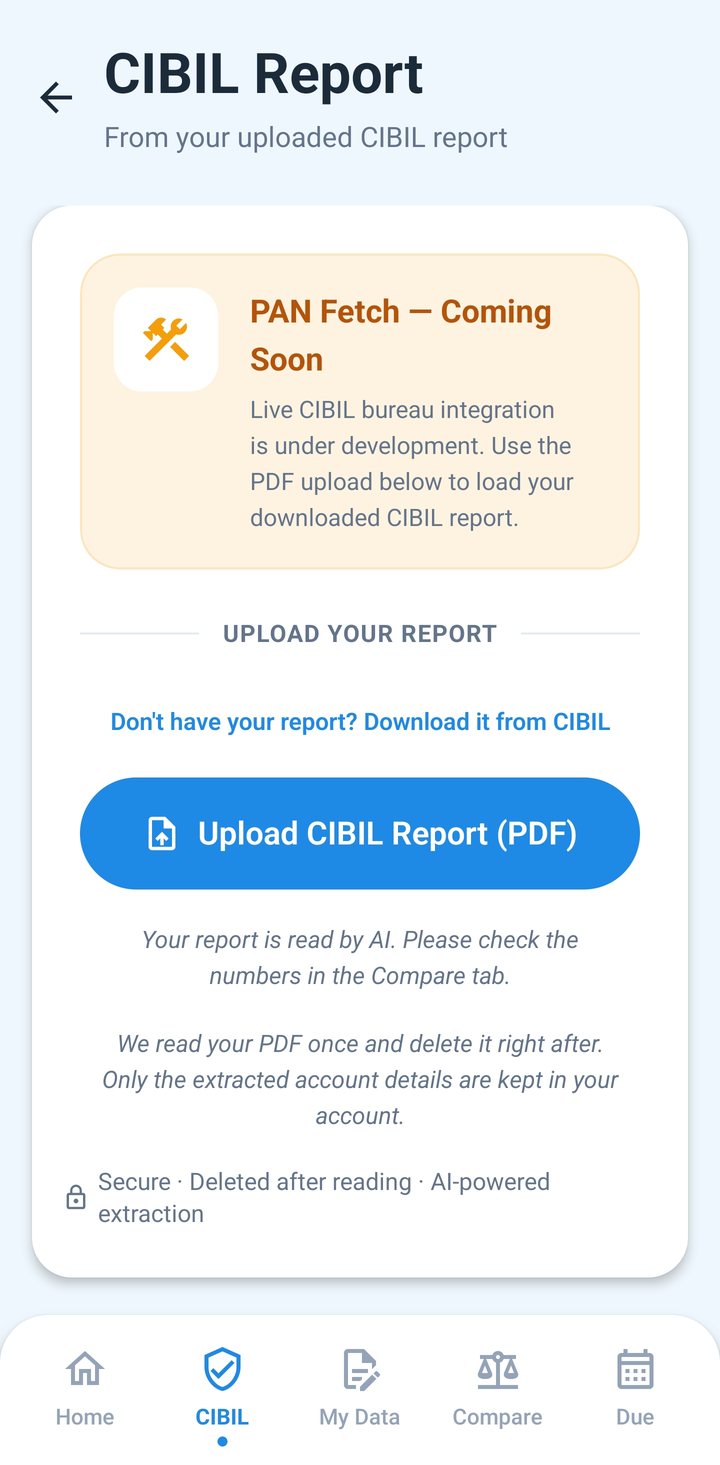
Upload your CIBIL report PDF
Download your report from the CIBIL website and upload the PDF in the CIBIL tab. AI reads your score, cards and loans from it. The PDF is deleted right after it is read; only the details picked out are kept.
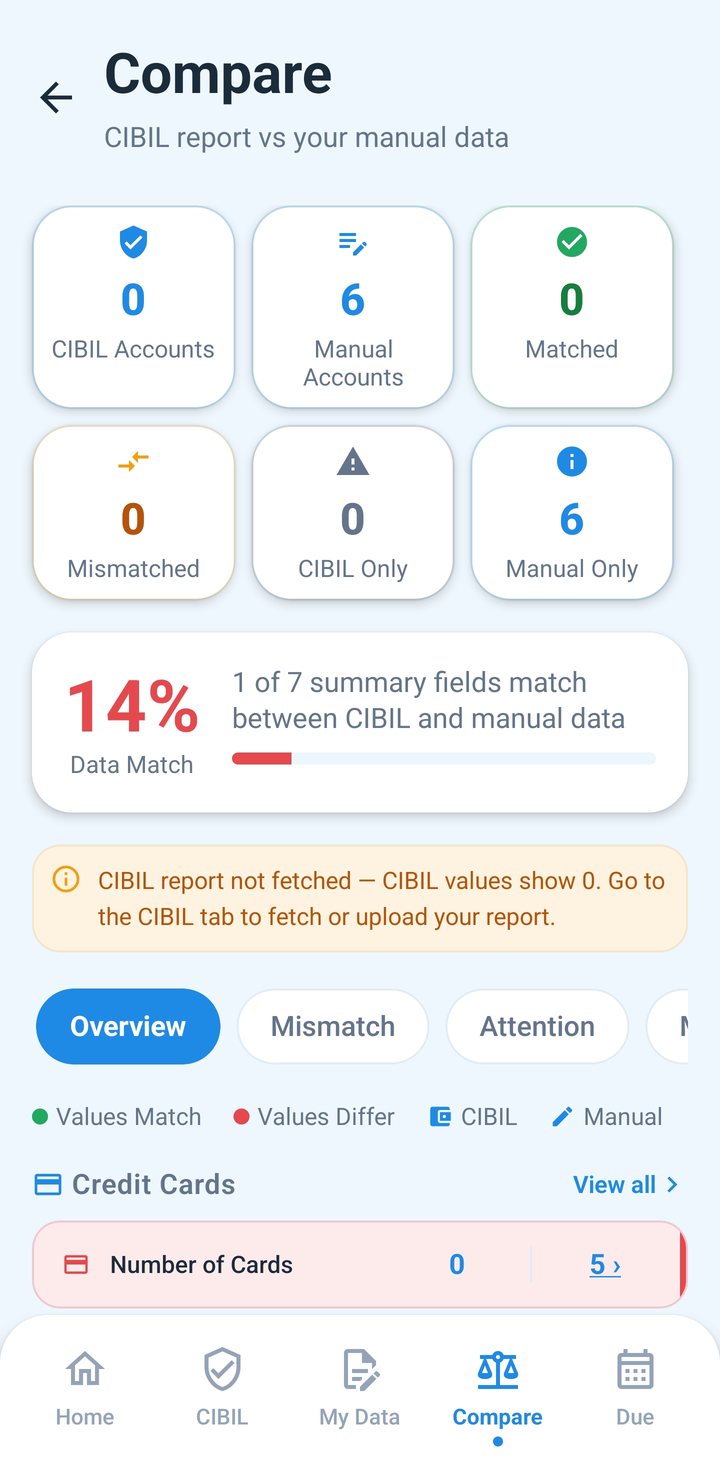
See what does not match
Compare puts the accounts on your CIBIL report next to the ones you typed in. Mark each row OK or Wrong, and flag accounts that are not yours.
Raise a dispute on the CIBIL website
If something on your report is wrong, the app shows you how to raise a dispute with CIBIL yourself, and keeps your own records correct in the meantime.
A look at SAARTI
Home My Data Monthly Due Compare CIBIL
Questions people ask
Is my data safe?
Your data is saved in your SAARTI account with our cloud provider. It is stored securely with Supabase. Each user can see and change only their own records. We never ask for your full card number, CVV, PIN, OTPs or bank passwords, so please never type them into the app. You stay signed in on your phone, so sign out on a phone you share.
Does SAARTI read my SMS, bank account or contacts?
No. SAARTI does not read your SMS, contacts or location, and it does not connect to your bank account. Everything in My Data is what you type in. The app asks for your photos only when you choose a profile photo, for your files only when you pick a CIBIL PDF, and to show notifications only if you turn on bill reminders.
How do I get my CIBIL report PDF and what happens to it after I upload it?
Download your report as a PDF from the CIBIL website (cibil.com). Then open the CIBIL tab and tap Upload CIBIL Report (PDF). The first time, we ask for your consent: your PDF is sent to an AI service (Google Gemini), which may process it outside India, to pick out your score, cards and loans. The PDF is deleted right after it is read. We keep only the details it picked out. You can remove them at any time with Reset All Data in your Profile, or with Delete account.
How is "Due This Month" calculated?
It adds up this month's due for every card in My Data and the EMI of every open loan in My Data. CIBIL data is not used. A card's due is the statement due you typed. If you left it empty, the app calculates it: the monthly EMIs running on the card plus the spends left in the outstanding after the EMI balances are taken out. Payments you mark as paid are taken off, so it shows what is still left to pay this month.
How do bill reminders work?
Reminders are set on your phone for the next 60 days: 3 days before, 1 day before and on each due date, and on each card's statement date. They come only if you turned them on (on Home or in your Profile) and allowed notifications. Open SAARTI at least once a month so they are refreshed. A reminder shows only the bank name, never an amount. Android may delay a reminder by a few minutes, and a phone's battery saver can stop them, so if you miss them, allow SAARTI to run in the background in your phone settings.
SAARTI is coming soon on Google Play
The Android app is almost ready. iPhone comes after that.